

If you are starting to work online, it is easy to assume that you need several AI subscriptions first. Start by choosing a service in a field you already know, or a related field where you have some experience. You need enough understanding to judge the work the tools help you create.
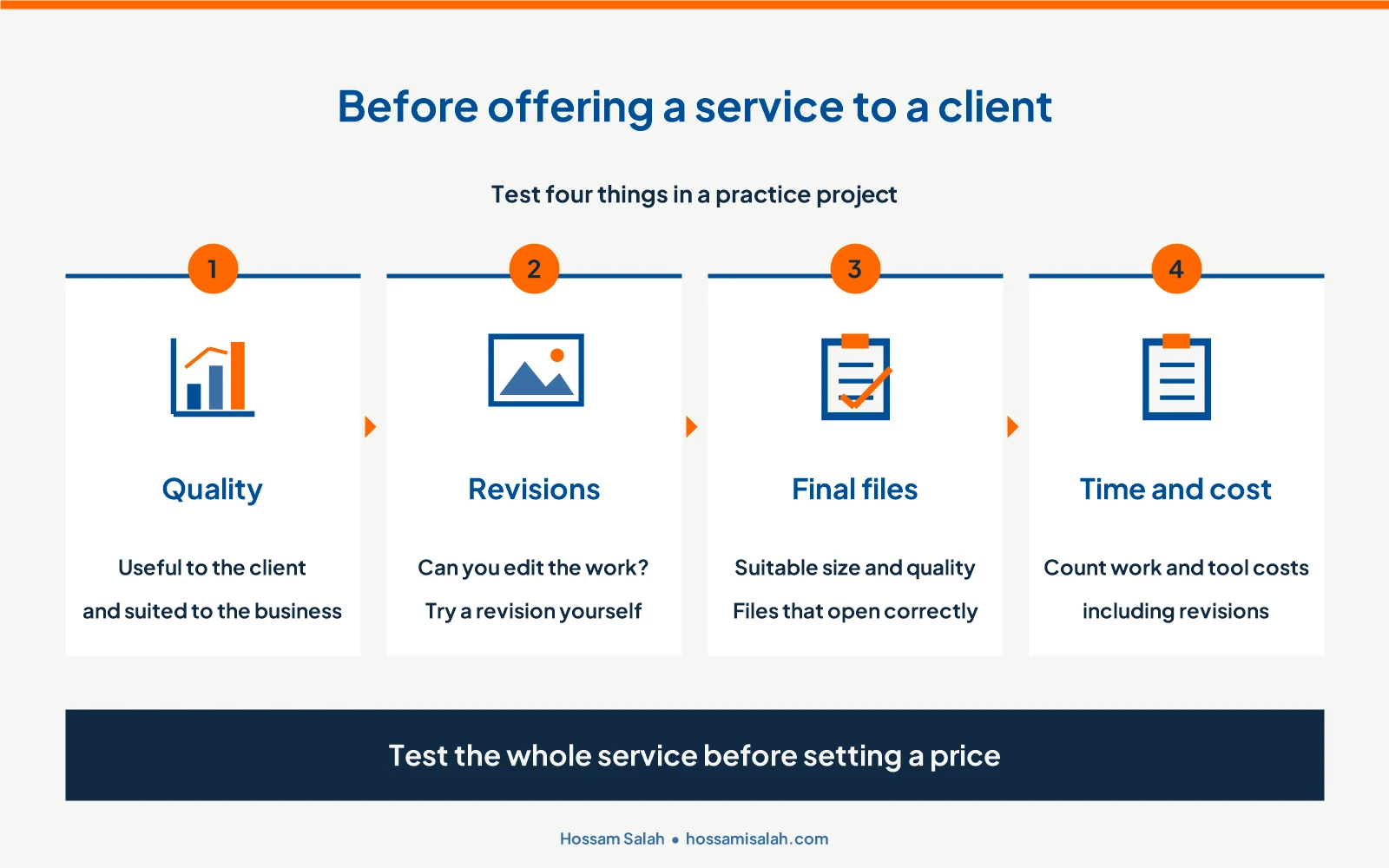
Try the service before paying for software. Is the result useful to a client? Can you revise it? Does the quality justify your price? Then check whether that price, including revisions, covers your time and tool costs. These questions give you a practical reason to subscribe, rather than a collection of tools you might use later.
Free AI tools can help you learn and create simple work samples. Choose a service you can review and revise, and complete a sample from start to finish before offering it to a client.
On this page
Start with a service in a field you understand
If you can write and edit well, you could begin by rewriting a client’s older content or creating copy from information they provide. Compare the result with the original: is it clearer, does it answer customers’ questions, and does it suit the business? If you have basic design skills, start with simple designs that follow an established visual identity. Avoid bundling writing, design and video into your first offer while you are still learning all three.
Give the service a clear scope. Instead of offering to “create content for your store,” offer descriptions for three products using the store’s product details and photos. Each description should explain the product’s use, specifications and information a shopper needs to decide. Agree on a deadline and one revision round for wording changes or clarification. Adding more products is a separate request.
Which tools help you complete the work?
| Task | Suggested tool | How you would use it | What the client receives |
|---|---|---|---|
| Write a product description from store information | ChatGPT or Gemini | Prepare a draft, then check the facts and edit the wording | A clear description ready for review and publication |
| Turn copy and a product photo into a social post | Canva | Arrange the image and text using the brand’s colours and fonts | A design at the agreed dimensions |
| Try an extra background for a design | Firefly, where generation is available on your account | Create a background to use with the original product photo without changing the product | A suitable background if the design needs one |
| Organise and deliver the work | A document editor and an organised folder | Name the files and check the final versions | Copy and images the client can open and review |
You can start with free access to ChatGPT or Gemini for writing assistance and Canva for design. If a design needs an additional background, Firefly may help, depending on what is available on your account. You do not need every tool for every project. Choose the ones that serve the task. The plan links at the end of this article let you check the current options.

Create a practice project for your portfolio
If you do not have work to show yet, create a practice project for a brand you know, or invent a business of your own. You could write product descriptions for a store or create a set of designs with a consistent identity. Label it as a practice project in your portfolio so a business owner can assess your work and approach.
For the product-description example, collect each product’s name, photo, dimensions, material and intended use. If something is missing, turn it into a question rather than letting the tool fill in the gap. Write the description, then check it against the original information for accuracy and clarity. Showing the product information beside the finished copy in your portfolio makes your process easier to understand.
What should you ask a client before starting?
Ask which products need descriptions, who buys them and where the copy will appear. Request product photos and specifications, and review examples of the store’s current writing. If design is part of the service, also ask for the logo, colours, fonts and required dimensions.
Summarise the agreement in a short message: how many products you will cover, when you will deliver and what revisions include. Ask for missing information before you start, so an essential detail does not force you to rewrite the entire draft later.
A practical example: product descriptions for a store
Once you have the information for the three products, use ChatGPT or Gemini to help draft each description. Explain who the buyer is, where the copy will appear and the style you need. Ask it to use the information you supplied. Then review the work yourself: are the dimensions and materials correct? Is the product’s use clear? Could any sentence apply to almost any product? Edit until each description is useful and specific.
If design is included in your agreement, place the copy and product photo in a simple Canva layout using the store’s colours and fonts. If the service is writing only, deliver the descriptions in a clear document the client can review and copy into the store.
For more on drafting and editing, see the AI content writing guide. If your service includes visuals, the AI image design guide explains that process in more detail.
Test the whole service before offering it
Run a sample project from receiving the information to saving the final file, and record how long it takes. Make a revision as if a client had requested one. Can you complete the work using free tools? Does the file save at the quality you need, without a watermark that prevents its intended use?
A tool might help with the first draft but reach its usage limit before you finish the revisions. Test this early. Can you finish manually, or will you need a subscription? If completing the work requires payment, include that cost before setting a price and deadline.
Make the work easy to review
Put the descriptions in one document, with each product’s name above its copy. If you are delivering designs, name the files after the products and save them at the agreed dimensions. Open the saved files to check that images are clear and text is complete, then send them with a short summary of the work.
When feedback arrives, refer to the agreement. Adjusting a description’s tone or clarifying how a product is used belongs to reviewing that work. Adding new products needs an agreement on extra time and cost. Defining this at the start makes the process easier for both sides.
How should you price the service and account for tools?
Include the time spent gathering information, writing, reviewing and making revisions, plus any tool costs. If you use a monthly subscription across several jobs, allocate a reasonable share of its cost to the work you expect. Do not ignore the subscription or charge its entire cost to the first client. Your price needs to cover your time and expenses while making sense for the quality you provide.
Record the actual time spent on your early projects, especially revisions. The draft might be quick while the review takes much longer. Use what you learn to set a price and deadline you can meet. Increase the amount of work you accept when you can maintain the same standard.
Questions you may have when starting
Can I start without a paid subscription?
You can begin learning and creating samples with free tools. Test your chosen service all the way through, including revisions and saving files. If the tools are sufficient, start with them. If a step requires a subscription, calculate the cost before offering the service.
How should I describe my service to a client?
Explain what you provide and show a relevant sample. For example: “I write product descriptions from your store’s information to help shoppers understand each product.” The client can see what they will receive and decide whether it fits their needs.
When is a subscription worth paying for?
Consider paying when you repeatedly need a particular feature or usage limits prevent you from finishing work and revisions. Compare the subscription cost with the time it saves and the price of your service. It is useful when it helps you deliver suitable work at a cost you can cover.
Choose one service and practise it from start to finish
Pick a service close to your existing skills and create a practice project. Assess whether the result would genuinely help the business. Track your time, test revisions and prepare a sample you can show with a price you can work with. If you are still choosing tools, the free AI websites guide introduces options for different tasks.